From “who’s here?” to “see you in five.”
WiZMe has four steps and four words. Learn the words once and you know the whole app.
- VYBE
- What you're up for right now: Meet, Coffee, Collaborate, Learn, Build, Mentor, Hire, Explore, Events, or new opportunities.
- FLICK
- The swipe. Move through people nearby who share your VYBE; flick away anyone who isn't for you.
- YUP
- "I'd like to meet you." Tap it on a person, or on a plan in the YEA tab.
- YEA!
- Both of you said YUP. Chat opens, and you can make a plan to meet.
Pick your VYBE, then go up.
Choose what you're up for. Tap Go up and pick how long: 15 minutes, 30 minutes, an hour, or until you leave. While you're up, people nearby on the same VYBE can see you. When the time runs out, or you stop, you disappear. Nobody sees you when you're not up.
- Your VYBE can change any time: coffee now, co-working later
- You choose how long you stay visible
- Set up your photo and a short intro once in your profile
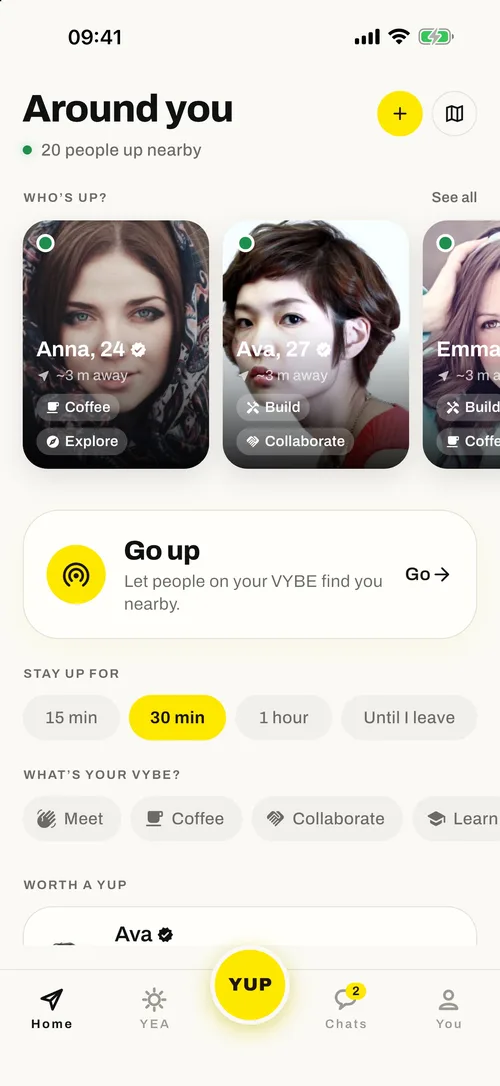
Flick through people on your VYBE.
Discover is a short deck of cards. Each shows a photo, what the person does, roughly how far away they are, their VYBE, and the interests you share. Not interested? Flick them away. Interested? Move on to step 3.
- Shared interests are shown up front, so you know why you're matched
- Distance is approximate, never an exact location
- No endless feed: the deck is only people who are nearby and up
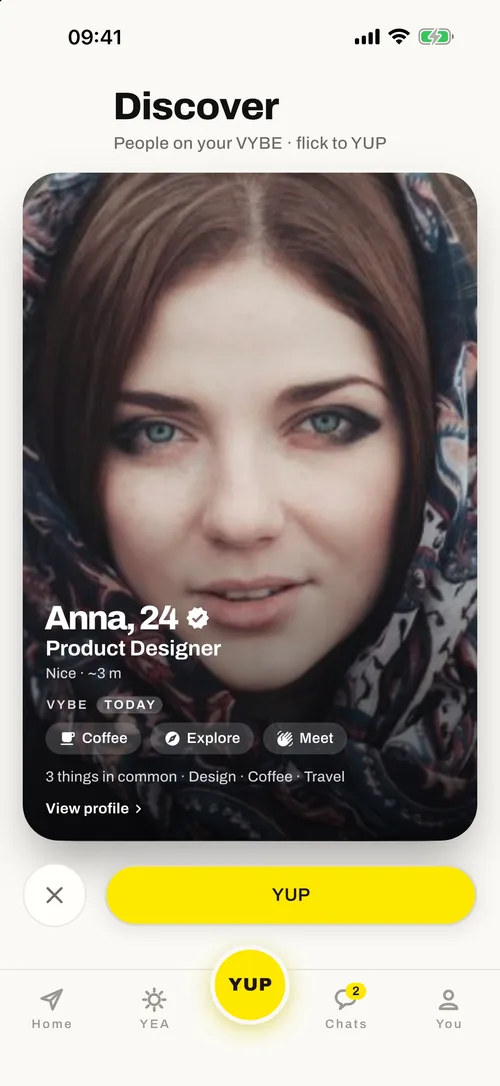
Tap YUP when you want to meet someone.
A YUP says you'd like to connect. The other person sees that you YUP'd them in their Chats, and can YUP you back or ignore it. You can't send a message first. Until it's mutual, the only thing that exists is the YUP.
- No cold DMs: you can't message someone who hasn't YUP'd you back
- Not interested? Ignoring a YUP is always fine
- Block or report anyone, any time
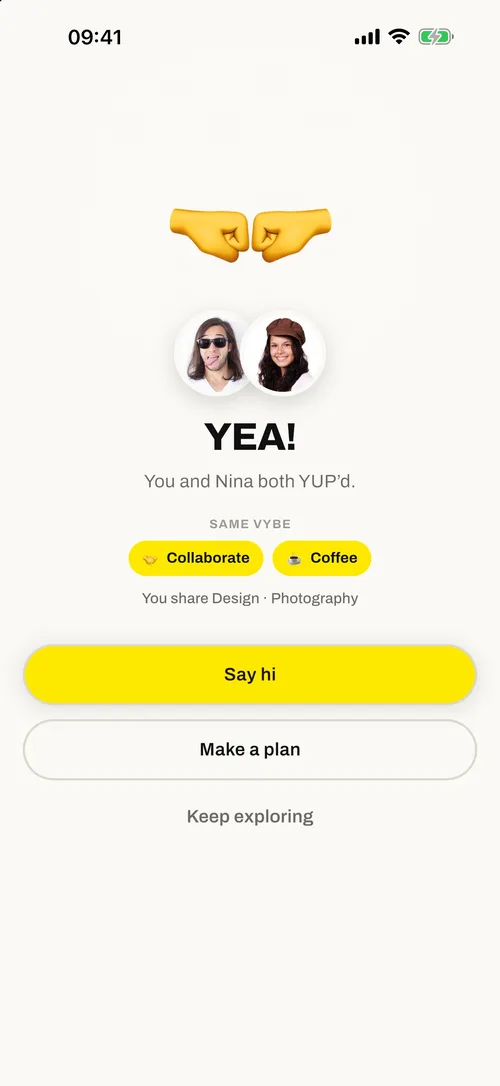
You both said YUP. Say hi or make a plan.
When a YUP is returned, you get a YEA! You see your shared VYBE and what you have in common, then pick: Say hi to open a chat, or Make a plan to suggest meeting. Conversation starters are based on what you share.
- Chat exists only after a YEA!
- Starter messages come from your shared VYBE
- Keep exploring and your matches wait in Chats
Join a plan with the YEA tab.
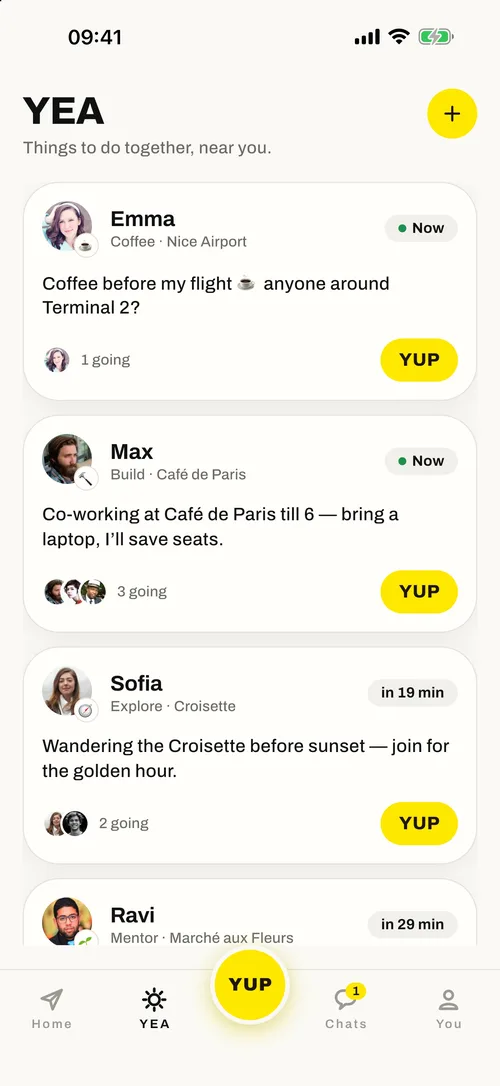
People post plans for right now: coffee before a flight, co-working at a café, a sunset walk. Browse what's happening near you, see who's going, and tap YUP to join. Post your own with the + button. Plans expire on their own.
- Great when you don't want to wait for a match
- See who's already going before you join
- Plans come with a time (“Now”, “in 19 min”) and a place
How does it know who's nearby?
When you're up, WiZMe uses your approximate location (a coarse area, never your exact position) to find other people who are up around you. Other users never see where exactly you are, only roughly how far away. Read the details on the Safety & privacy page.
Who are you up to meet?
Free on iPhone. Pick your VYBE and see who's up nearby.
Now live on iPhone — free to download. Android on the way →